Extra 3D
Adds Lots Of Options For Modifying, Getting 3D Objects Data.
World Settings:
- Tone Mapping
Debug
- Show Wireframe
Mesh
- Move Mesh
- Rotate Mesh
- Size Mesh
- 3D Object On Screen (Condition)
- Merge Objects
- Delete Mesh
- Delete All Mesh
- Simplify Model
- Mesh Optimise
- Vertices Optimise
- Remove Invis Triangle
- Optimise Faces
- Mesh Deformer
- Mesh Splitting
Terrain
- Create Clouds
- Create Terrain (One Colour)
- Create Textured Terrain
- Create Water
- Create Mountains
- Create Grass
- Create Path
- Create Light
- Skybox Render
- Skybox Time Cycle Render
- Delete Cloud
- Delete Water
- Delete Terrain
Appearance
- Replace Model Material
- Tint Material
- Replace Model Texture
- Change Opacity
- Tint 3D Model
- Texture Resolution
- Texture Remesh
- Change material
Information:
- Model File Size
- UV Count
- MemoryUsage
- Material Count
- Vertices Count
- TriangleCount
- Mesh Name lnside Group
- Mesh Name
- Mesh Count
- GLB Name
More Updates Would Be Committed To This Extension.
Download
Click download now to get access to the following files:
Development log
- Version 0.3.221 days ago
- Version 0.3.128 days ago
- Version 0.3.028 days ago
- Version 0.2.237 days ago
- Version 0.2.152 days ago
- Version 0.2.052 days ago
- Version 0.1.155 days ago


Comments
Log in with itch.io to leave a comment.
Hey, I'm back. I'm trying to use the Replace Material With Texture action, and the UVs are all messed up. Can you please make the texture follow the UVs, or am I doing something wrong?
I think it's because, like you know a glb model has individual materials. So you can have 5 for glass, wood. And that action applies it to every material so it looks off. I would recommend using the Replace Material With Texture. That one is more for replacing everything to white, wood, without having to spam 10 actions for every material.
that's what ive been using, i put an image to show. ignore the eyes on what its supposed to look like.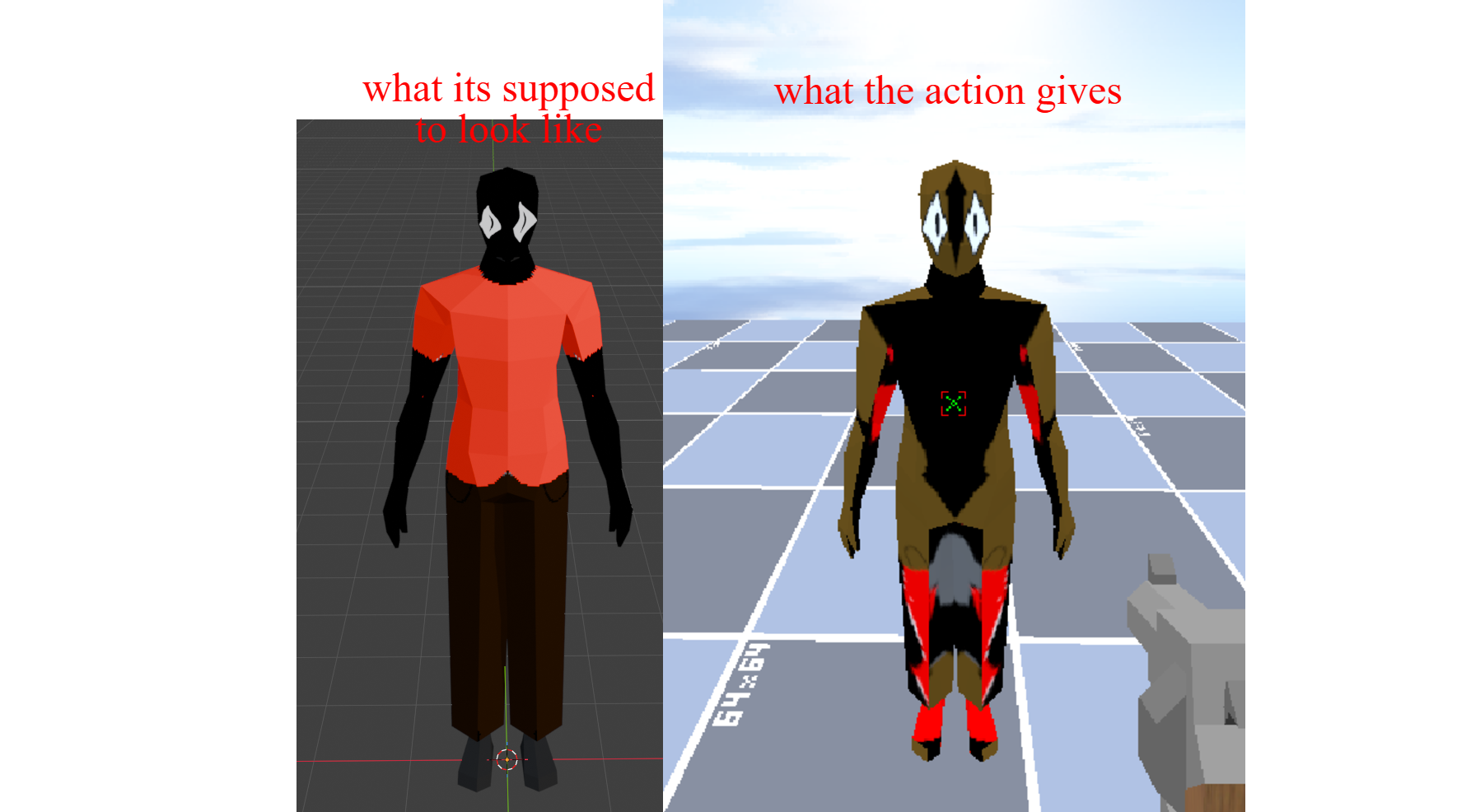
Fixed It! Thanks For The Report, If You Find Something I Would Be Glad To Improve It.
thank you so much!!!
i have been needing a feature to change a texture for so long. tysm!!!
I'm happy that I could help! If you want another feature text me.